Weber Update Log
This article contains the following components (the following components do not write a separate tutorial)
1. Shopping cart
2. Order settlement
3. Pay
4. Order payment status
5. Order details
First create 5 pages and put the above 5 components respectively. You can modify the name of each page after generation.
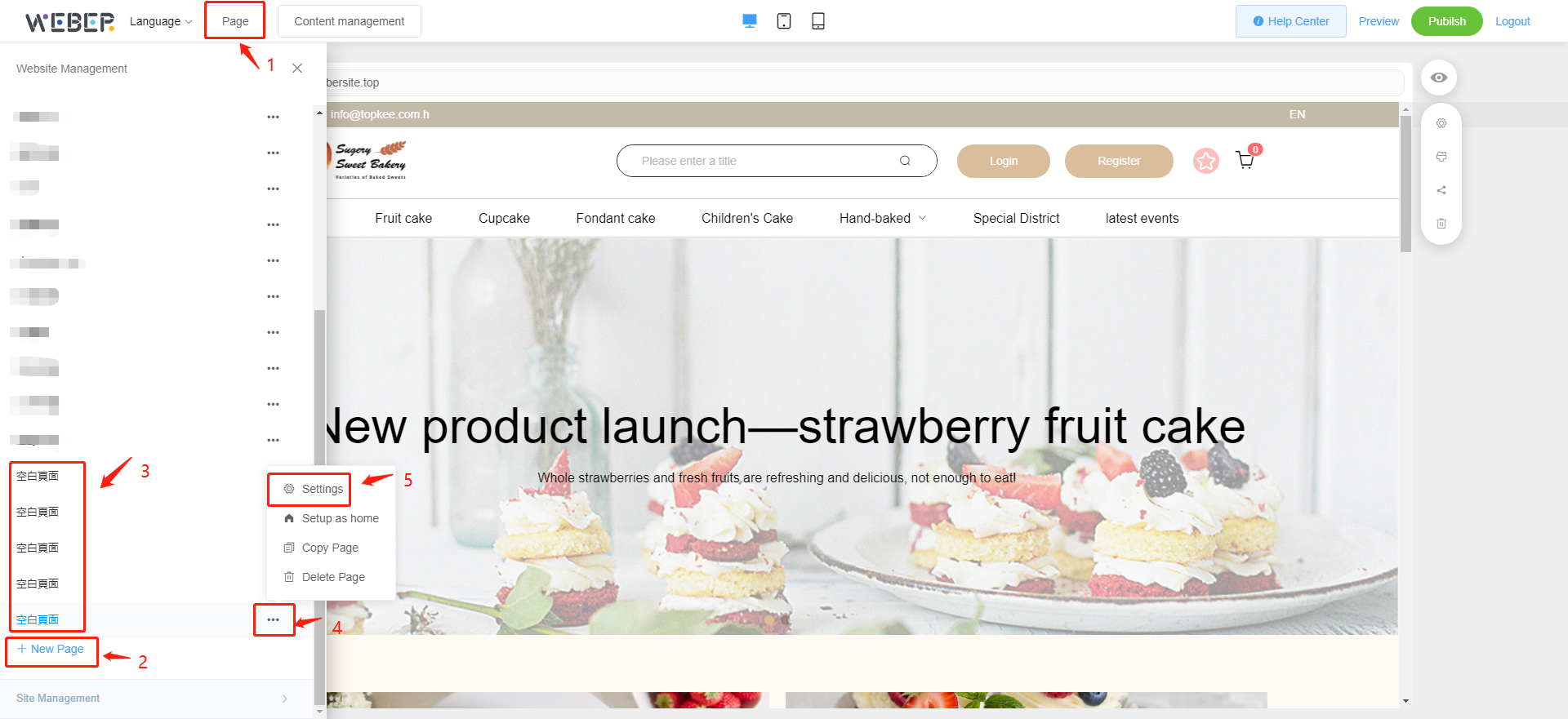
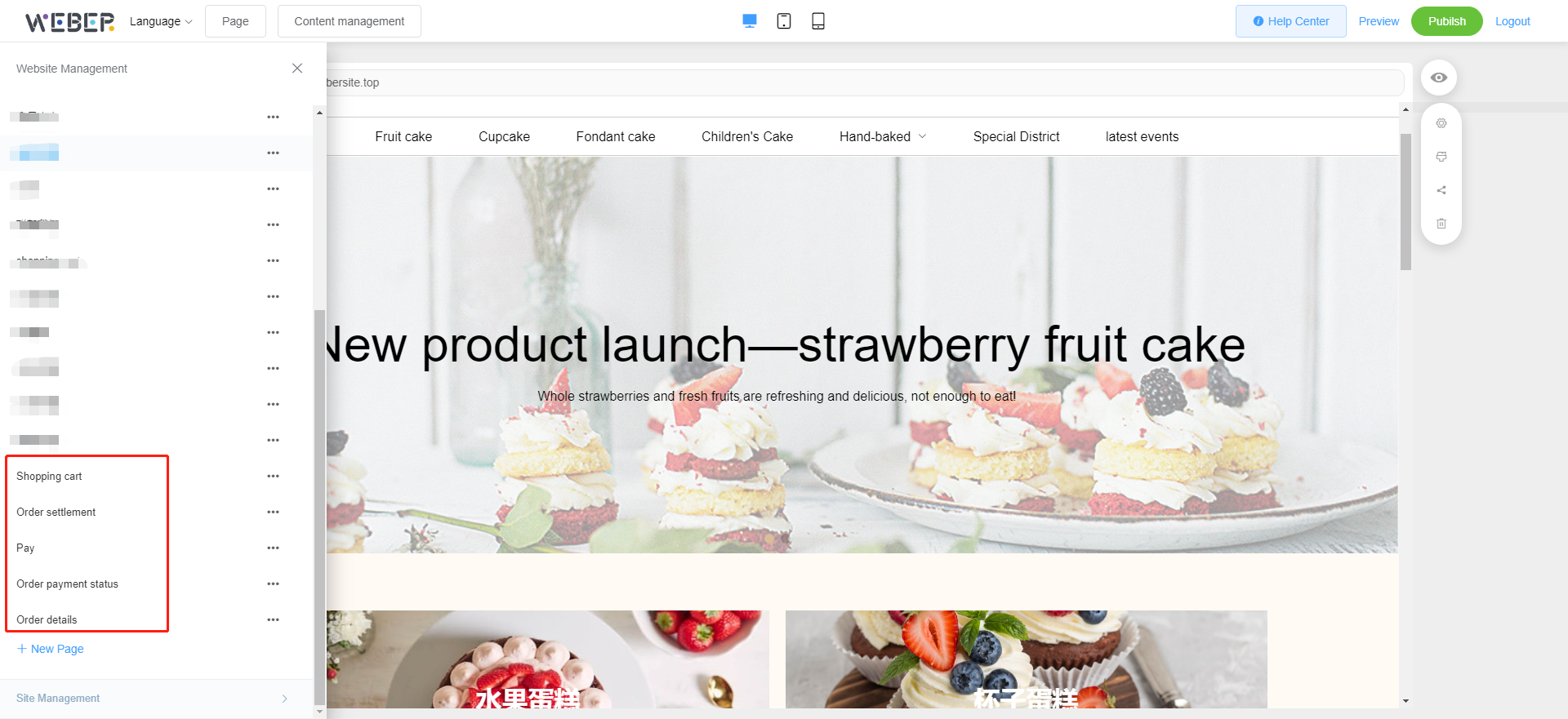
Then enter each page separately to add the corresponding components and set the page jump.
Shopping cart
Right-click on the "shopping cart" component and select 
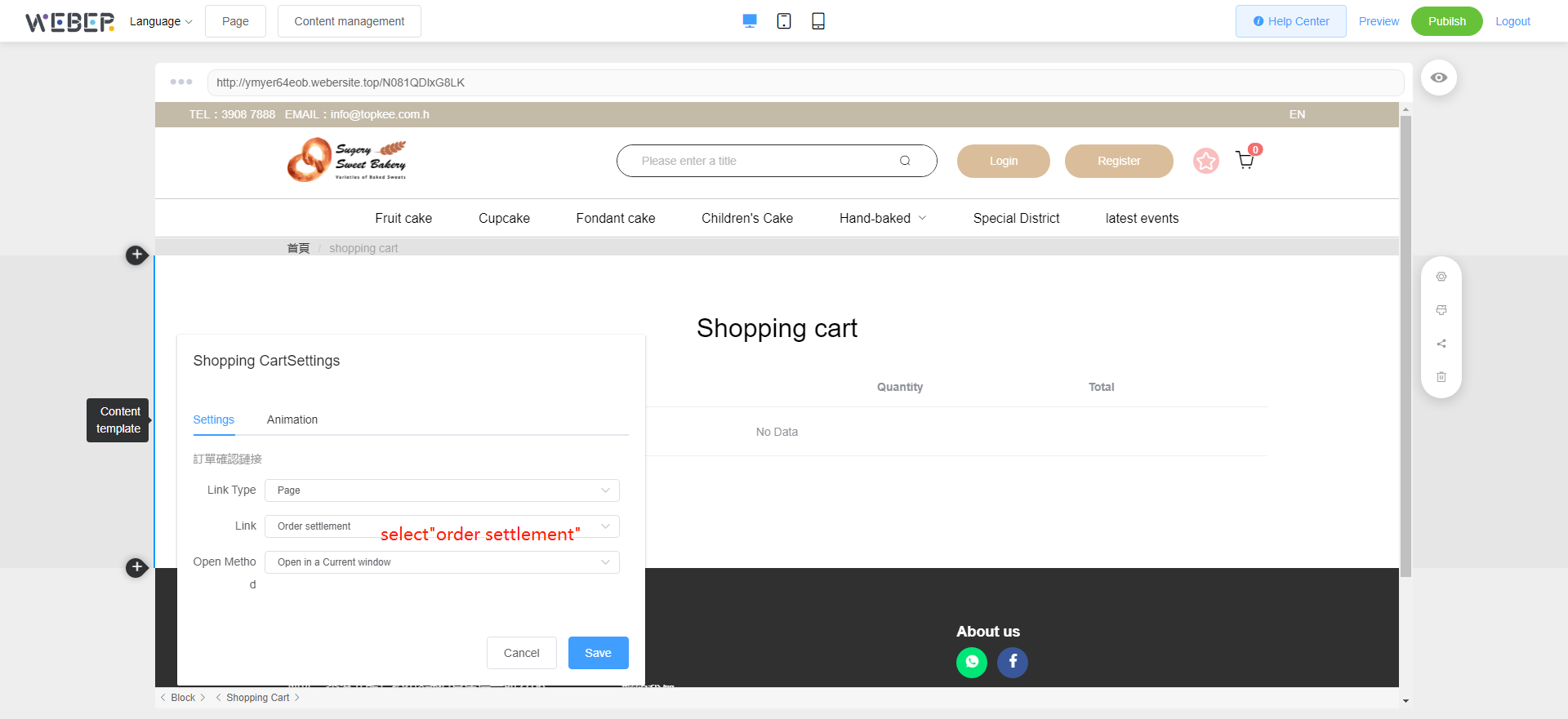
Order settlement
Right-click on the "Order settlement" component and select
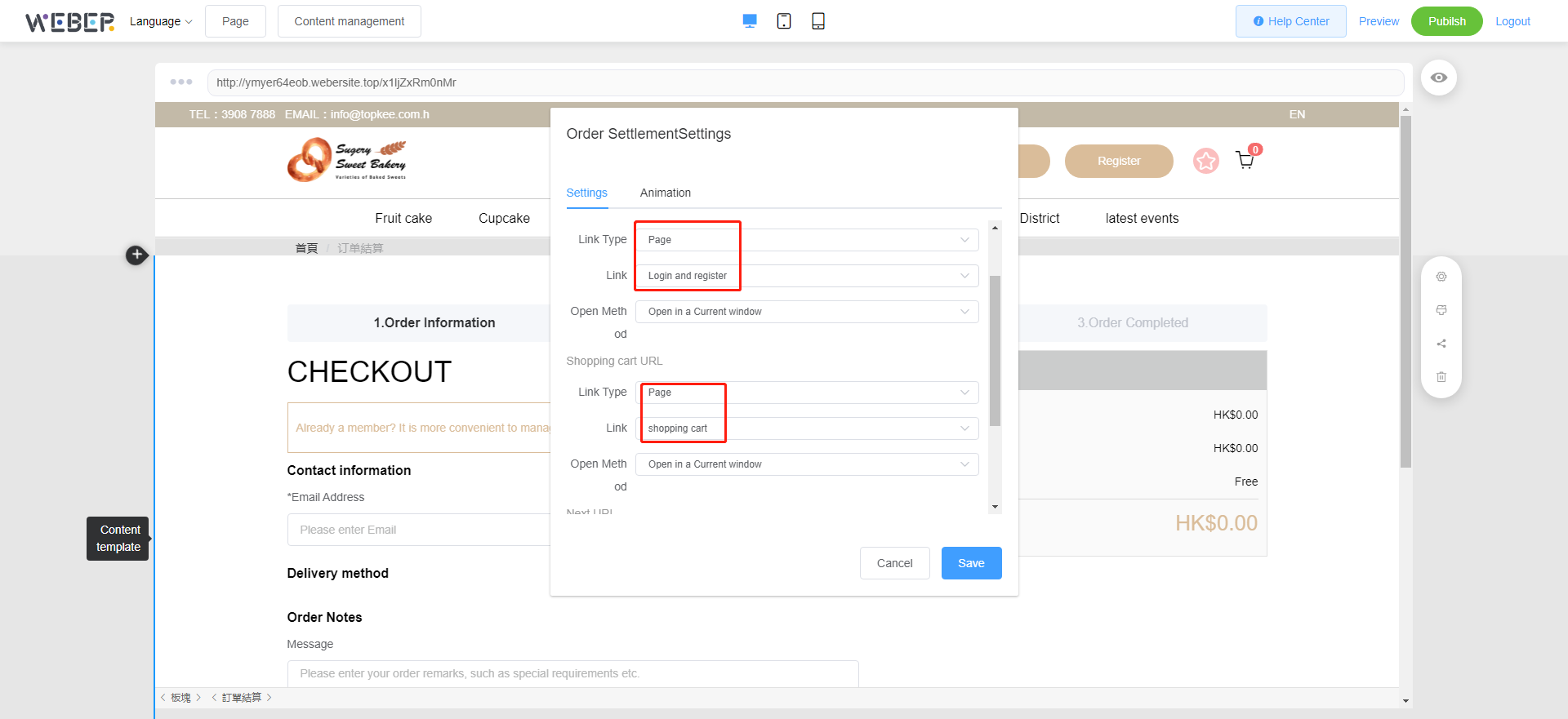
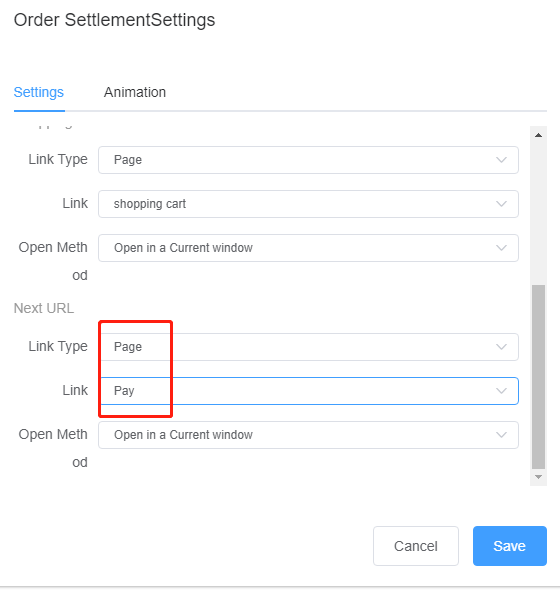
Pay
Right-click on the "Pay" component and select
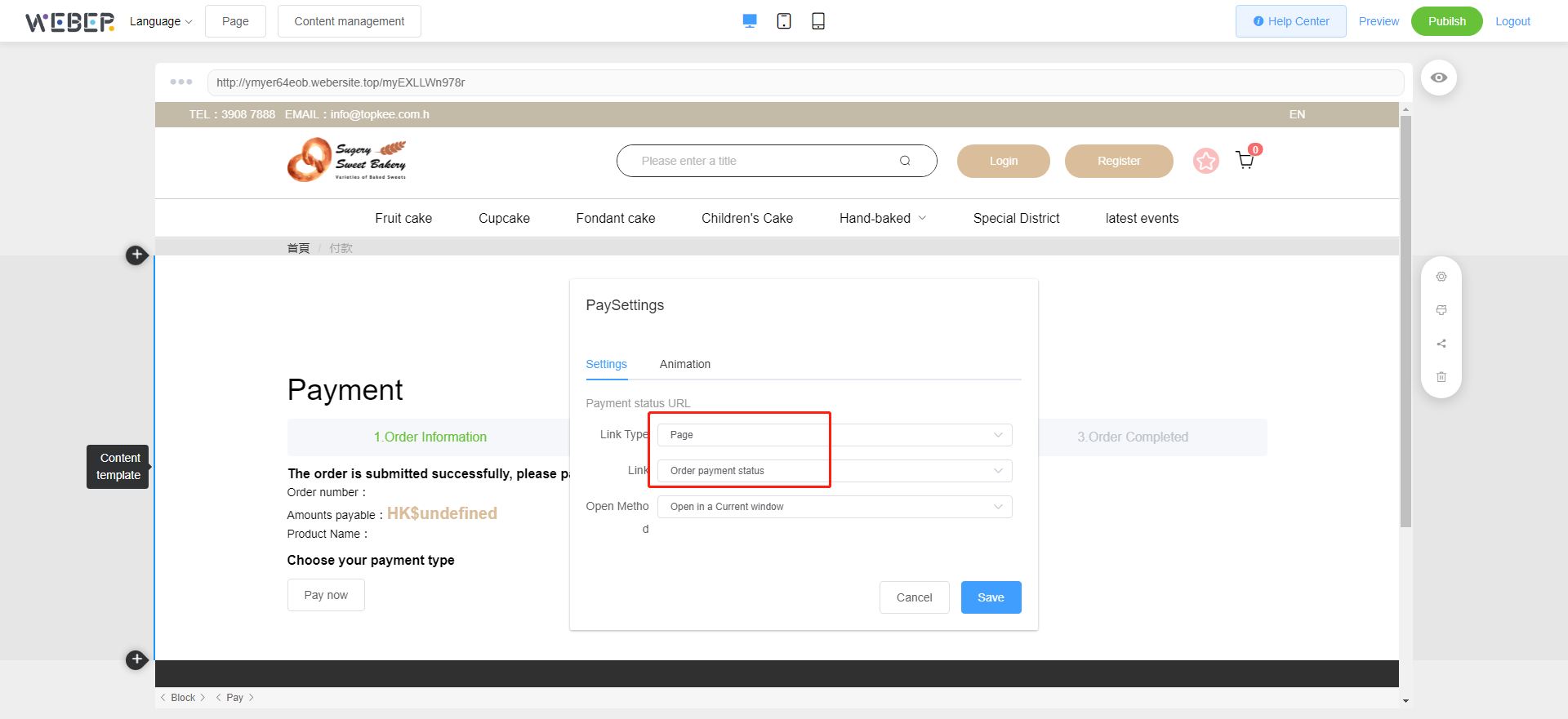
Order payment status
Right-click on the "Payment " component and select
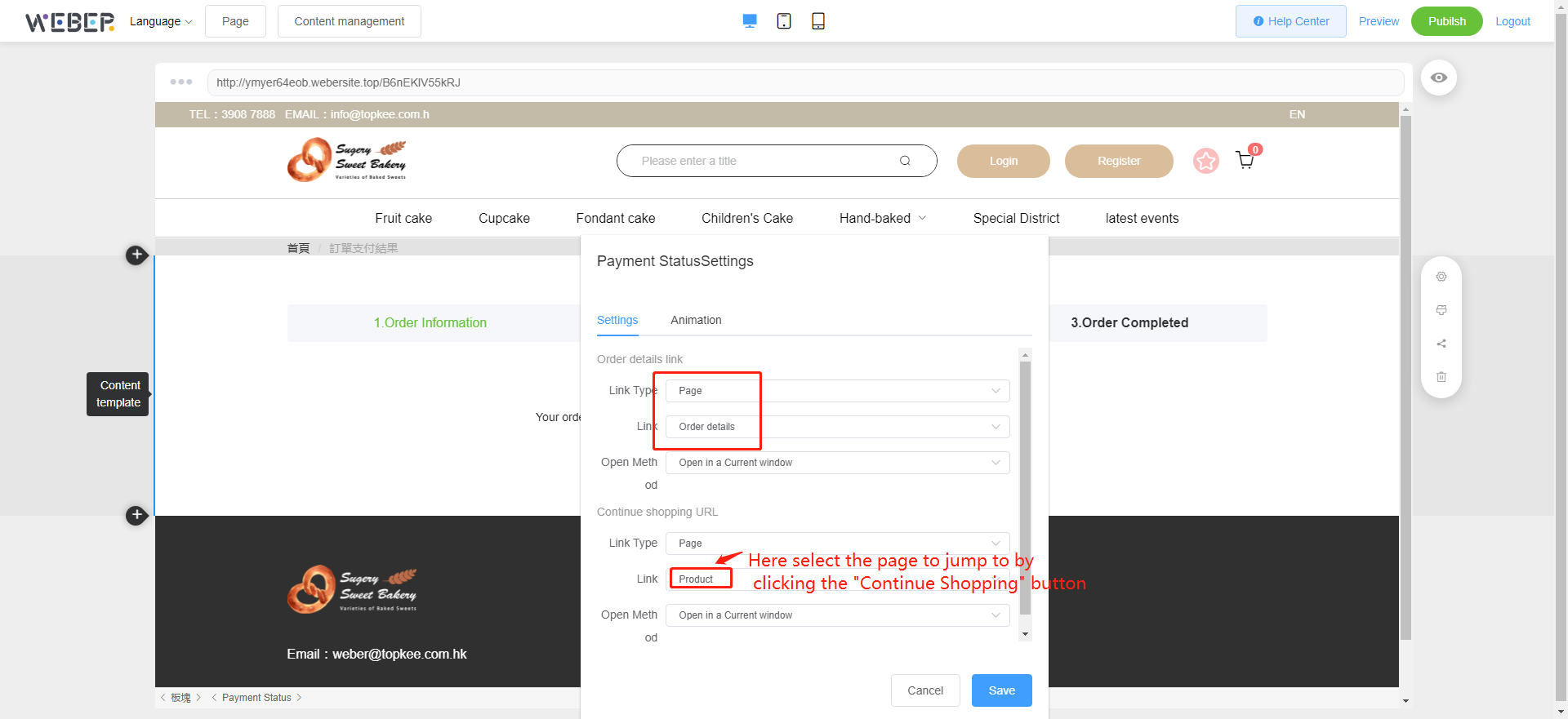
Order details
Right-click on the "Order details" component and select
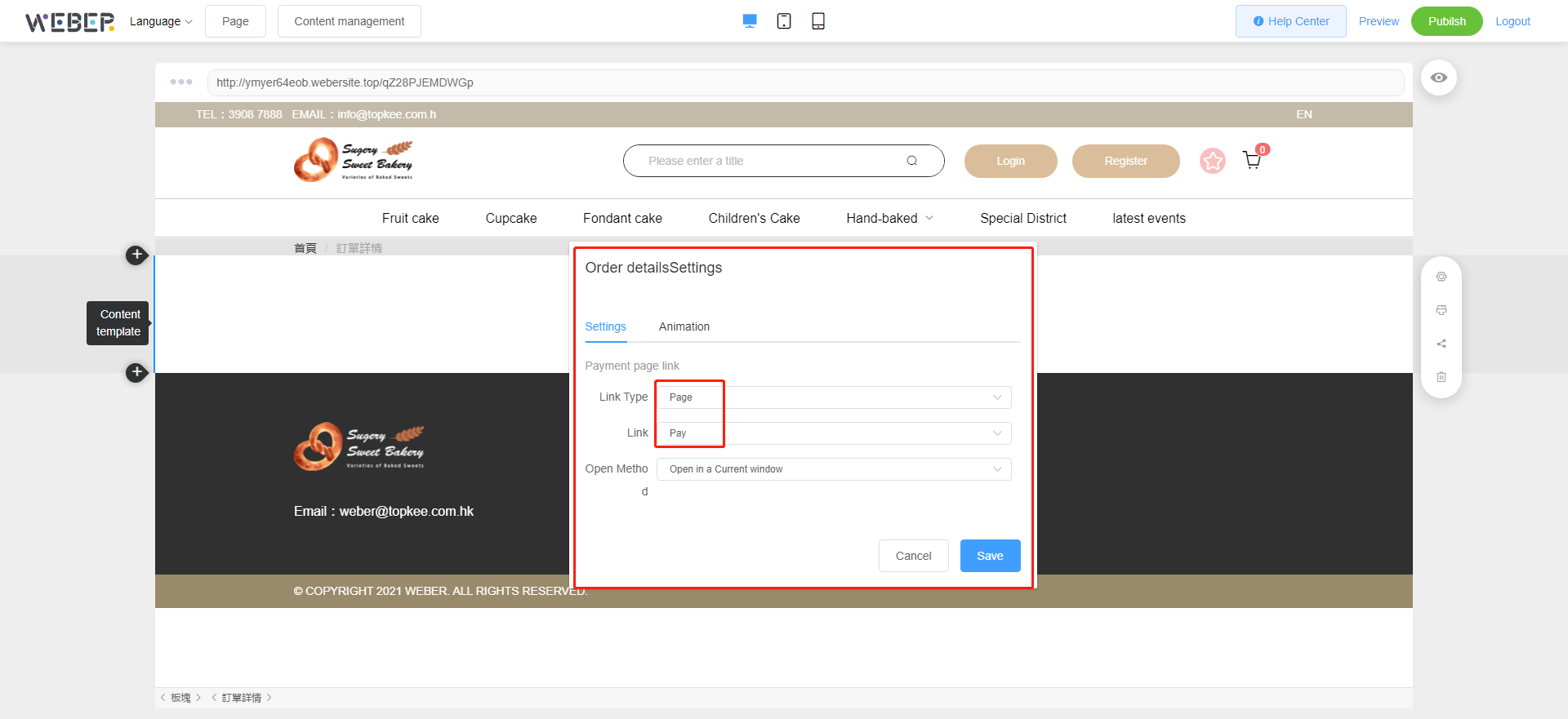
All settings are complete.