Weber Update Log
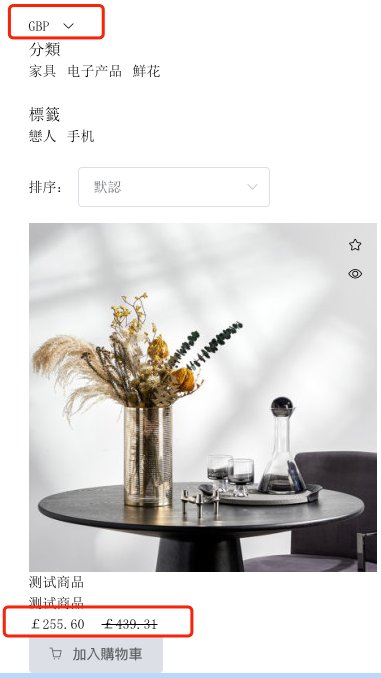
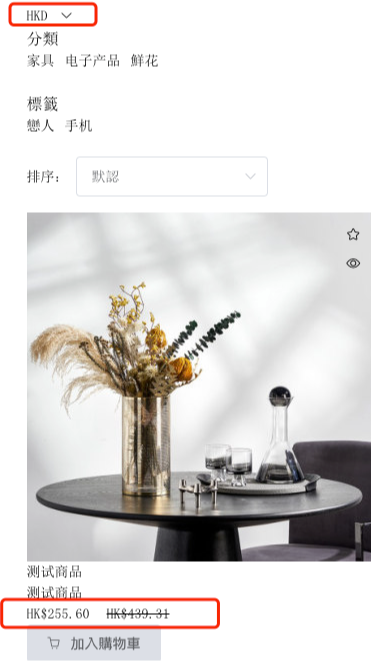
The currency component allows users to freely choose and switch the prices of products in the corresponding national currencies.
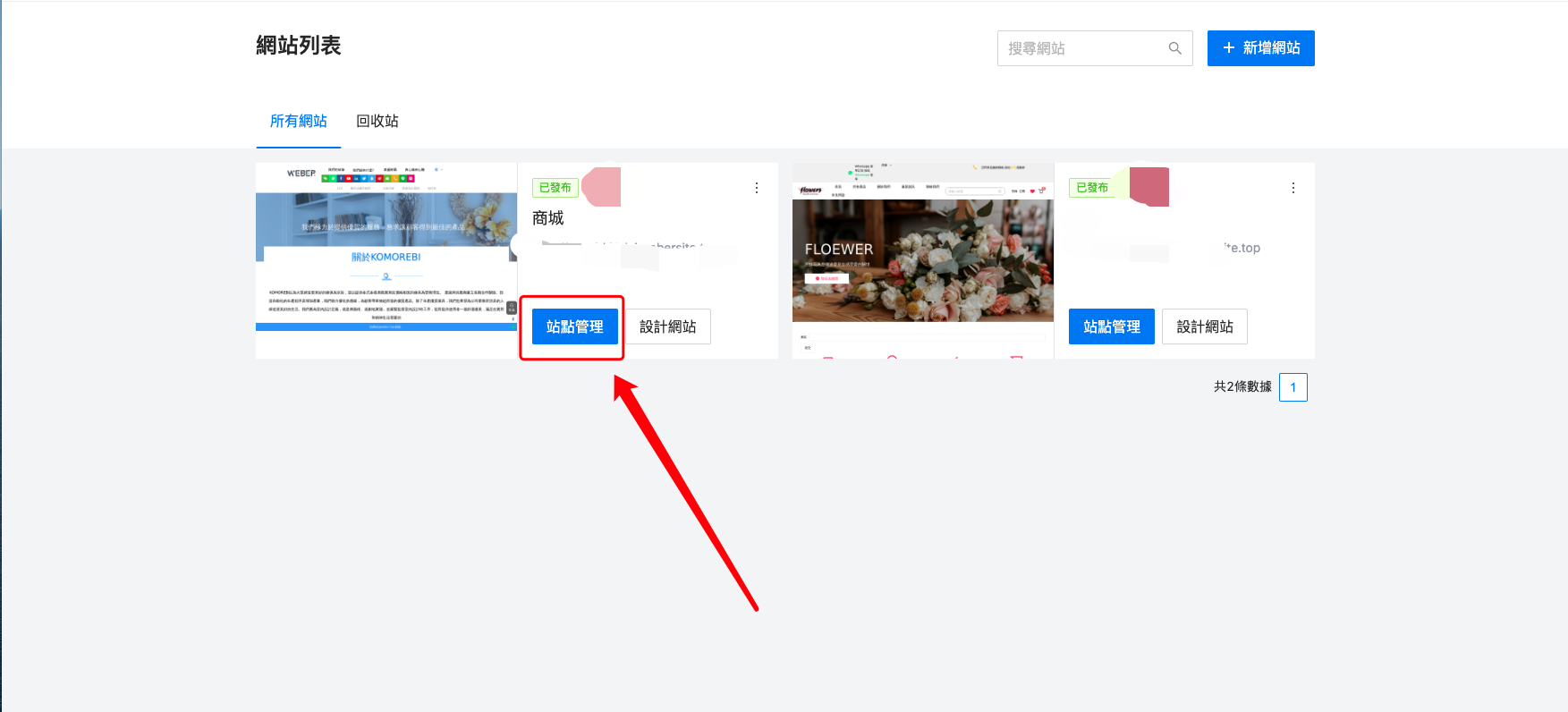
After adding the currency component on the front - end, you need to enter the "Site Management" to add the required currency data. Only in this way will it be displayed on the front - end. (The currency switching effect can only be viewed after the website is published.)
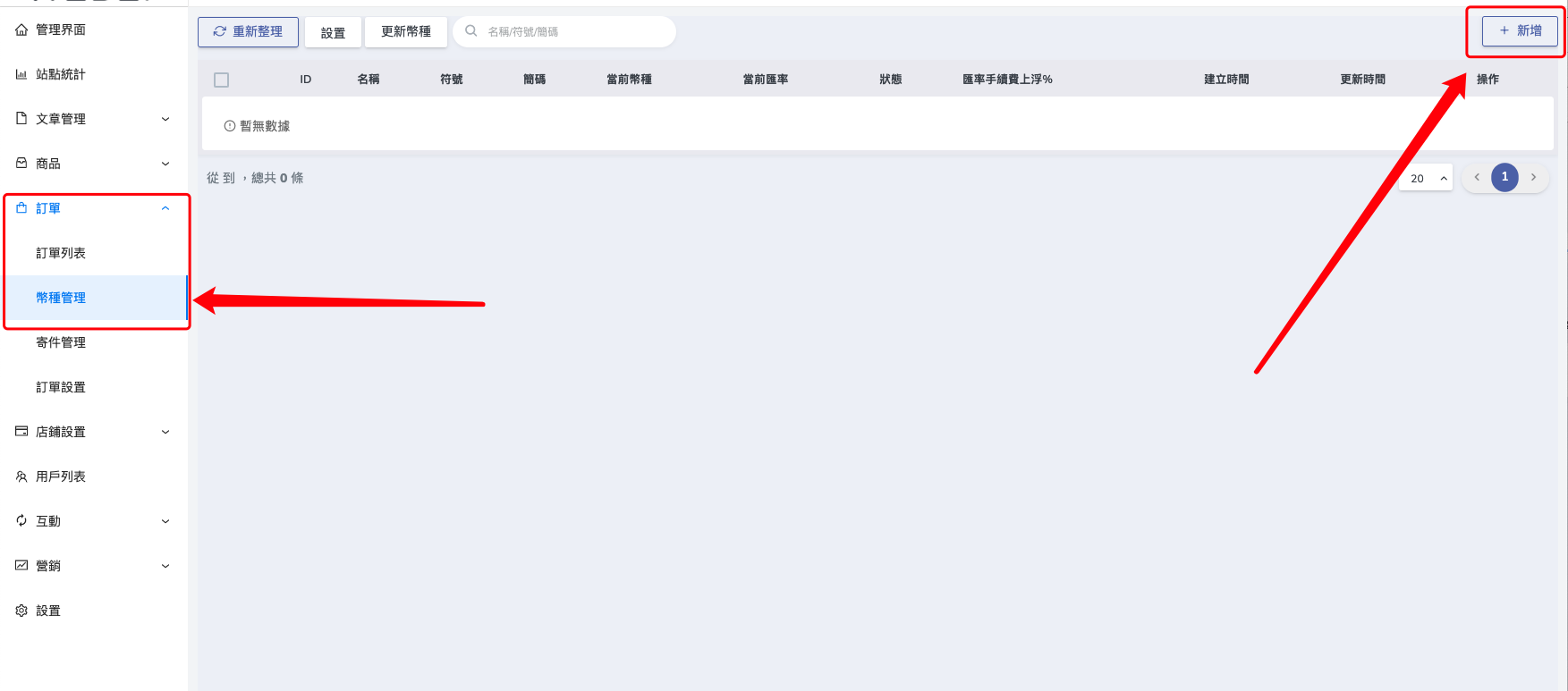
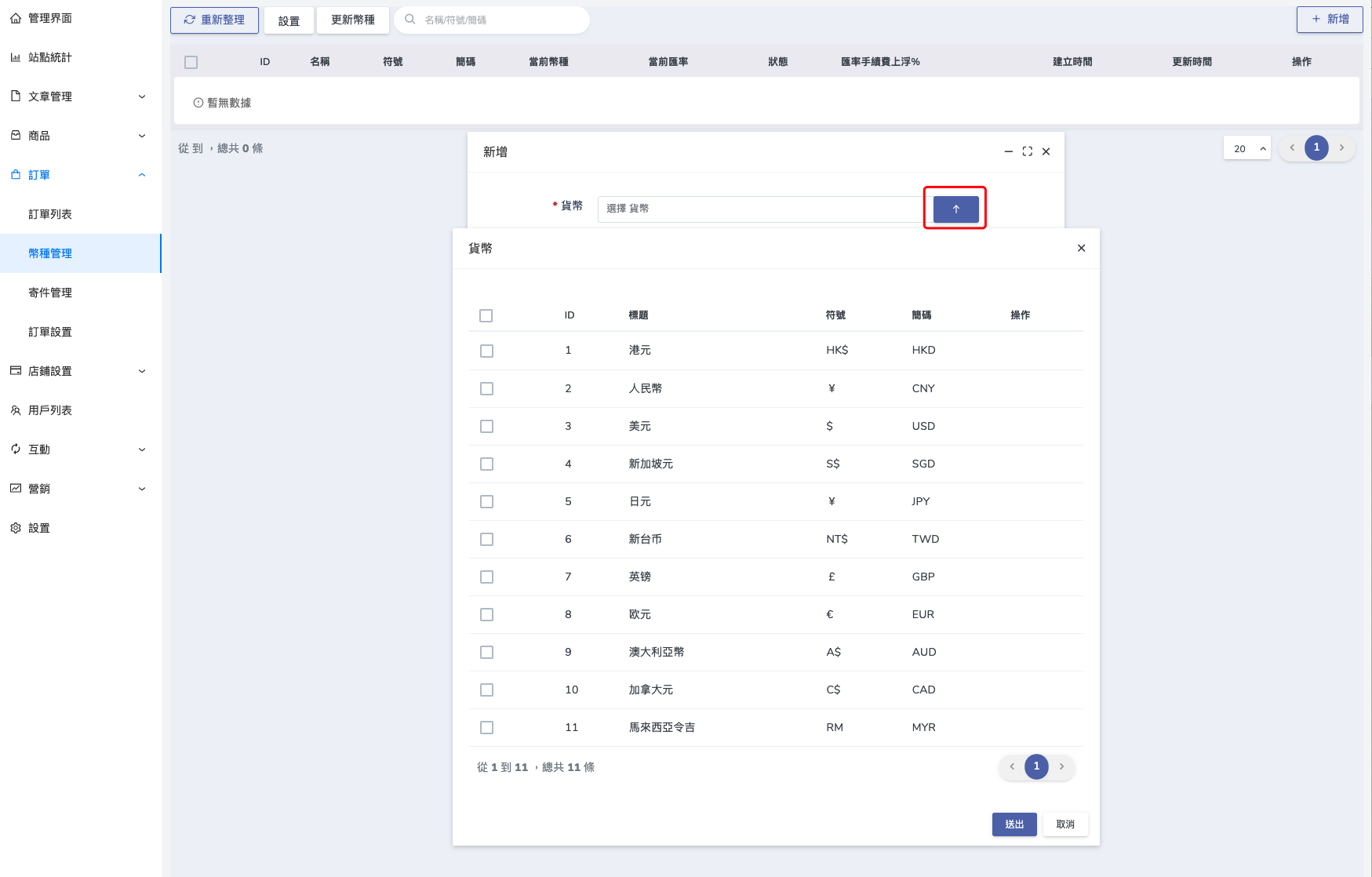
Find the "Currency Management" and click the "New" button in the upper - right corner.
Check the required currency types and click "Send"
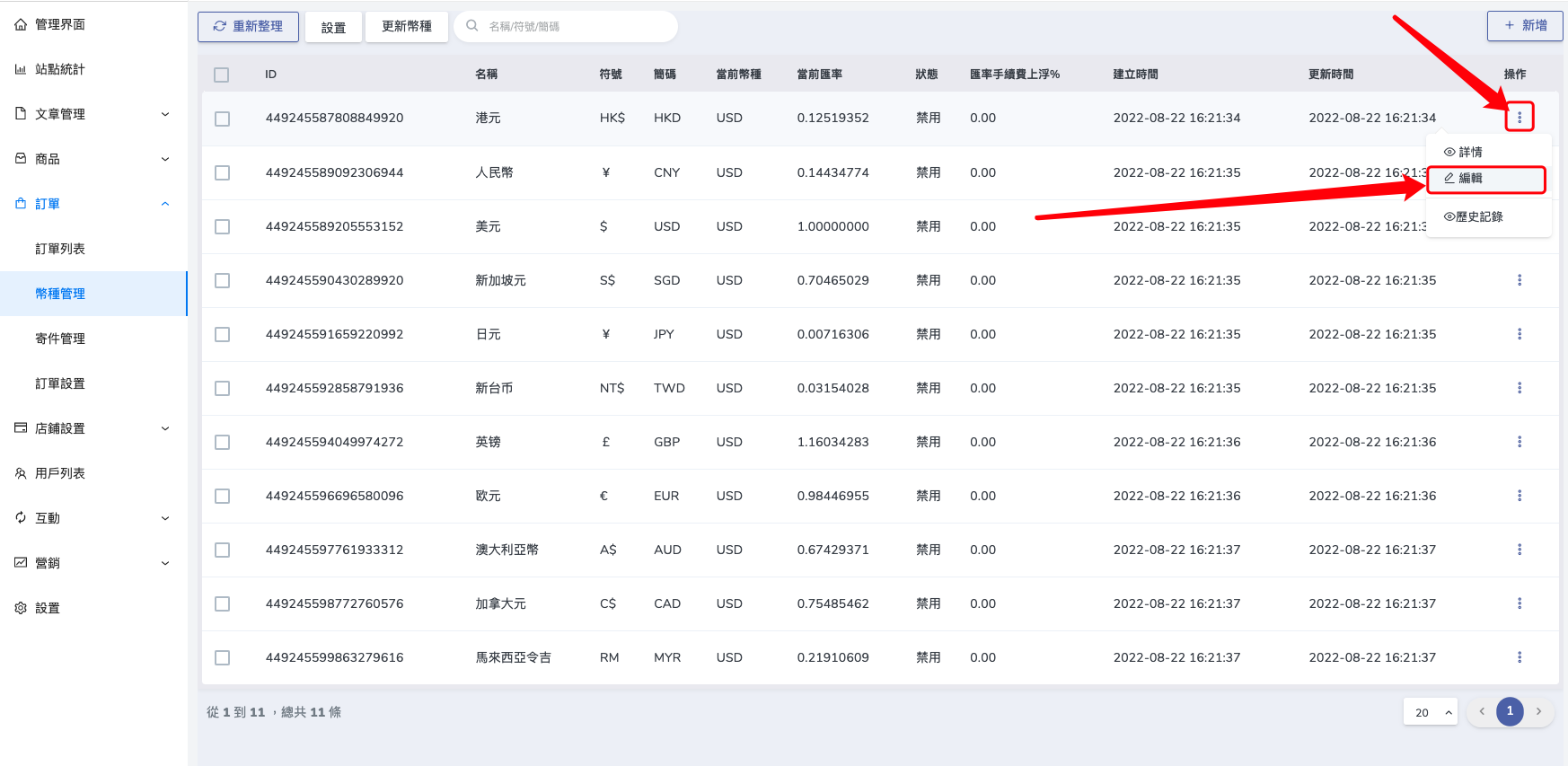
Click the "Edit" button on the right side
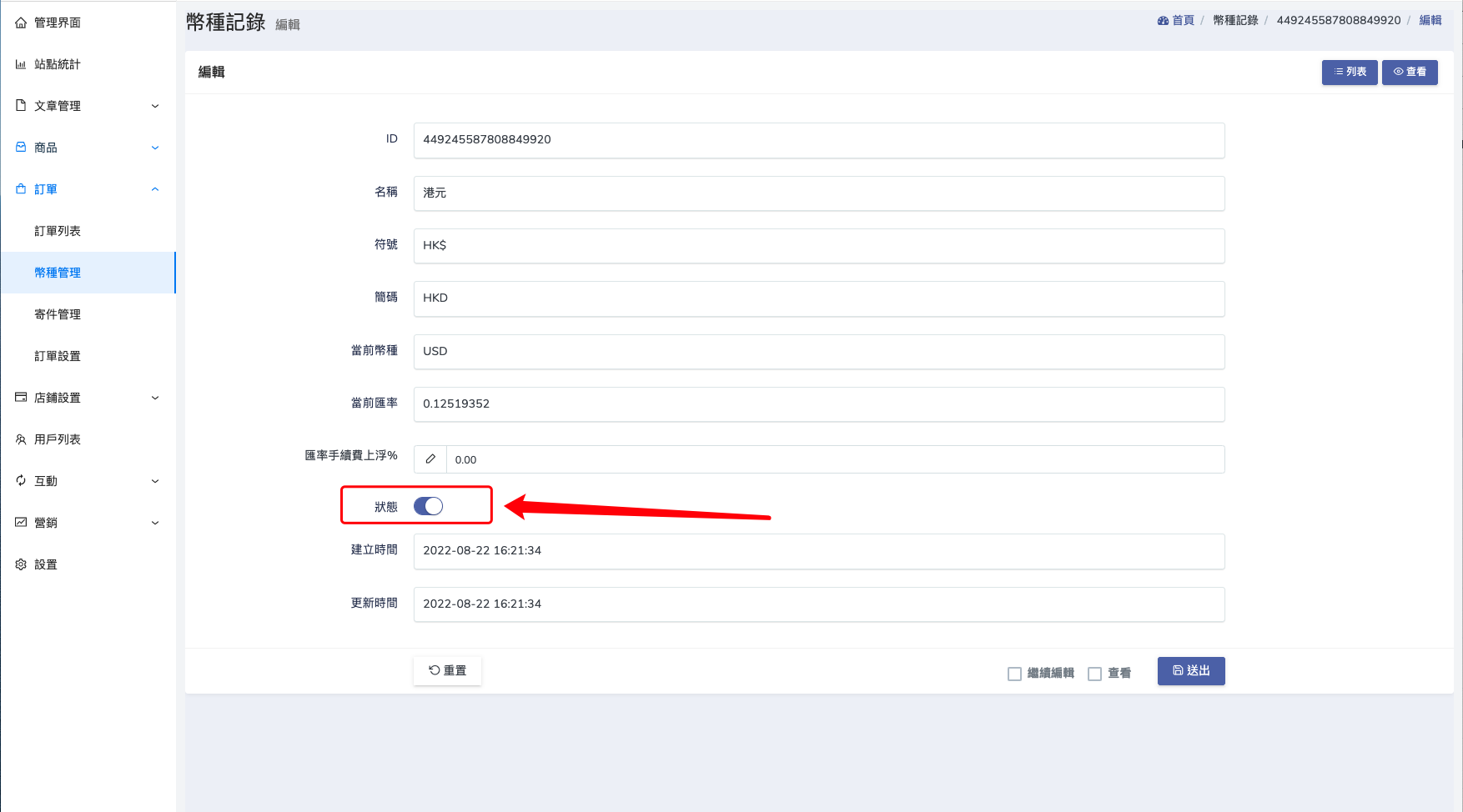
Turn on the status and click "Send"
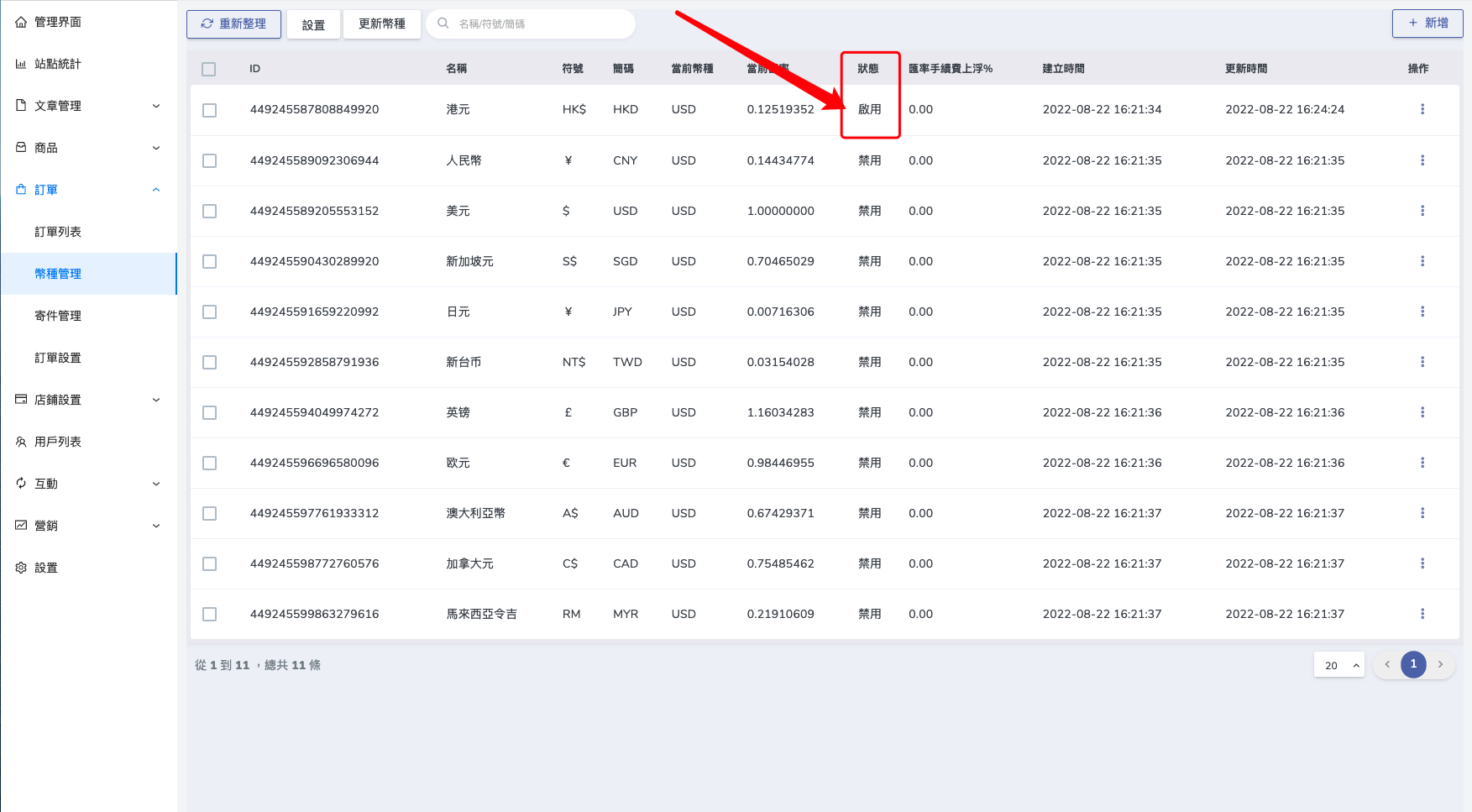
When the status shows "Enabled", it indicates that this currency has taken effect
Return to the editing page to check that the currency component has taken effect. (The currency switching effect can only be viewed after the website is published.)
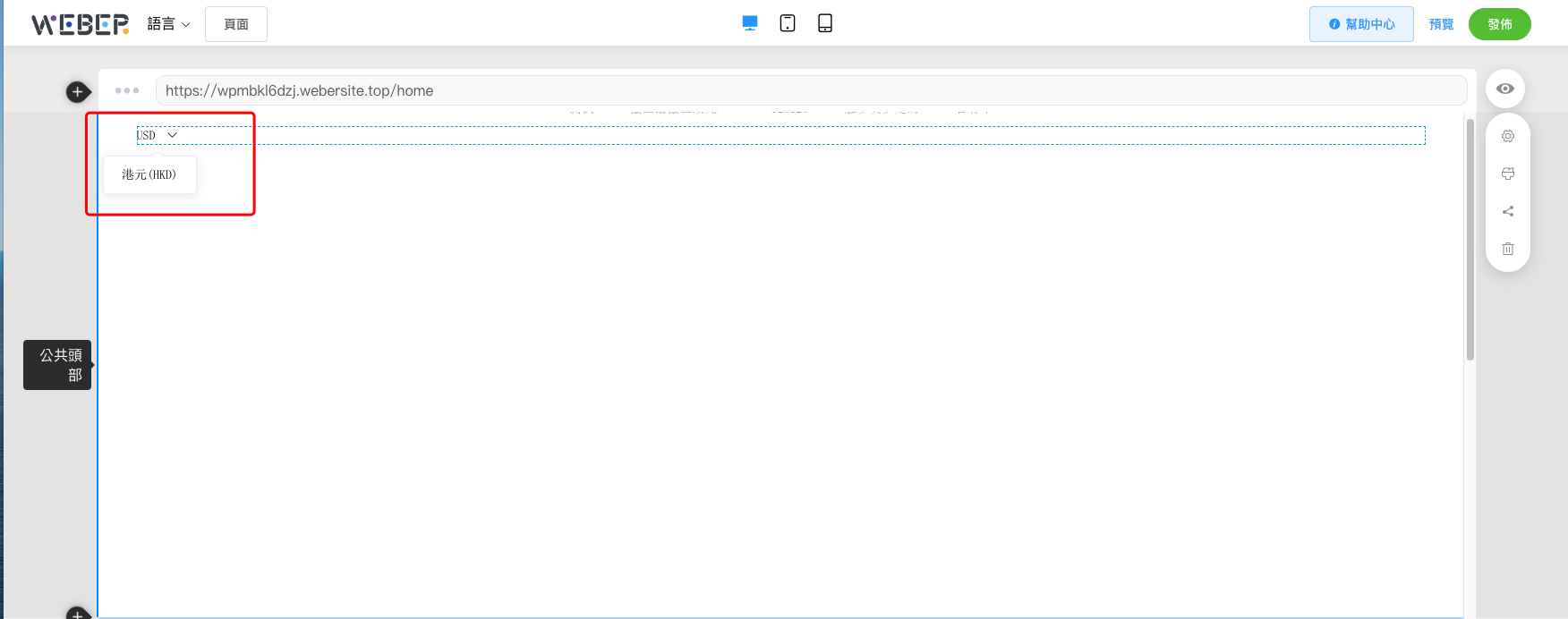
The following picture shows the currency switching effect